Back to Quick Services
ChatGPT Poweredn8n AutomationSupabaseGoogle Sheets

Self-Learning AI Chatbot for Your Website

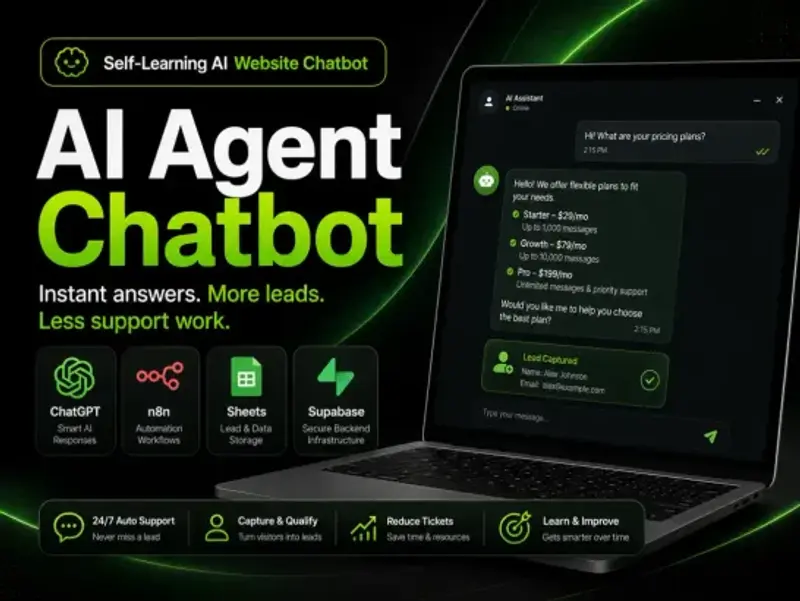
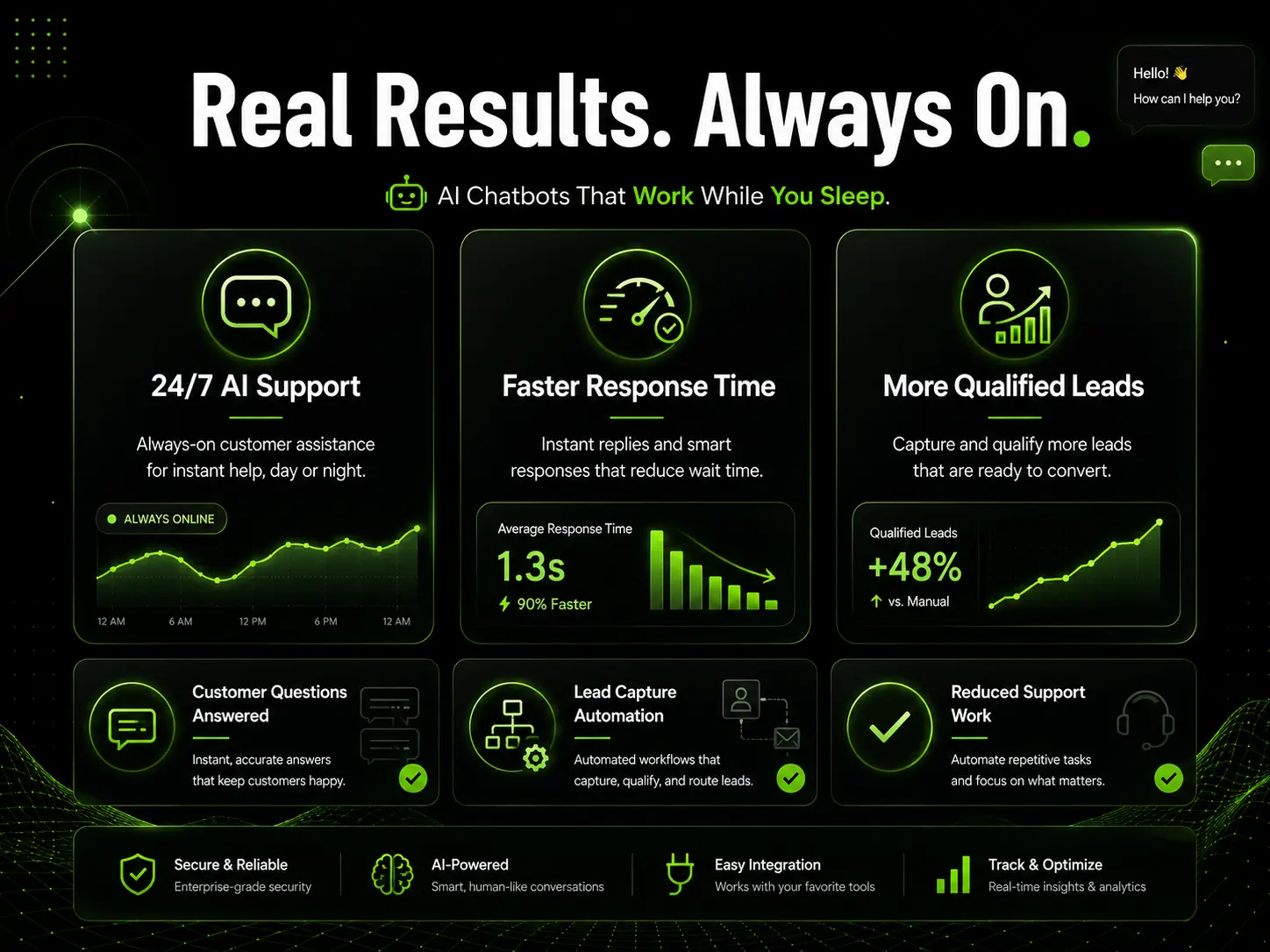
Turn website visitors into conversations, leads, and booked opportunities with a custom AI agent powered by ChatGPT, automation workflows, and your business data.

We build AI website chatbots that can answer customer questions, explain your services, collect leads, suggest next steps, and connect with tools like Google Sheets, n8n, Supabase, CRM, email, calendar, and webhooks.

24/7 Support
Lead Capture
ChatGPT Powered
n8n Ready
Sheets Integration
Supabase Chat History

Service preview

Take a look at how the AI Chatbot captures leads and connects details to your systems.

The Problem

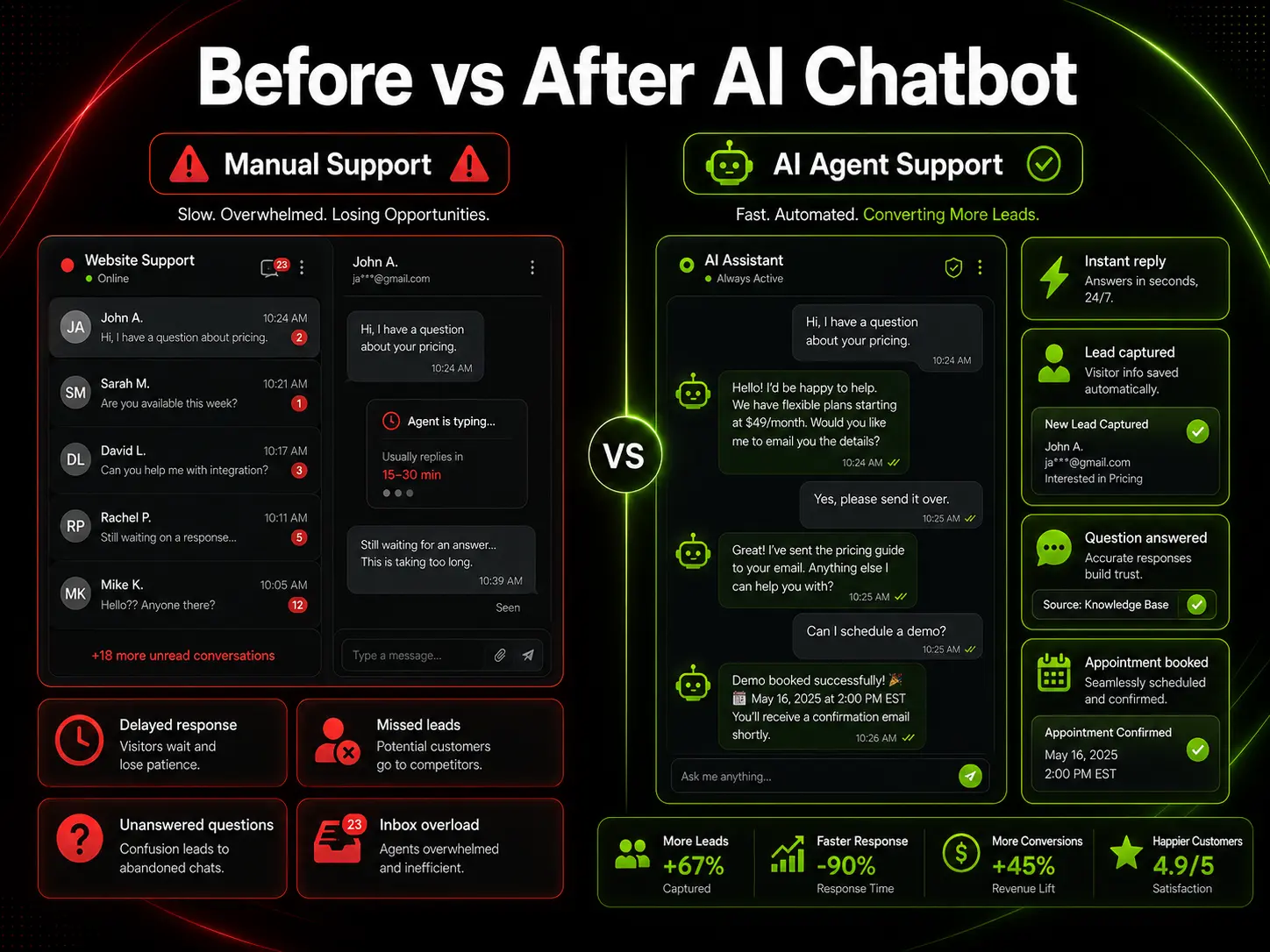
Your Website Visitors Should Not Wait for Answers

Most businesses lose leads because visitors cannot get quick answers about pricing, services, availability, or next steps. A traditional contact form forces customers to wait. A basic FAQ page only works when visitors know exactly where to look.

With an AI website chatbot, your visitors can ask questions naturally and get helpful responses instantly. The chatbot can guide them, collect their details, and send qualified leads directly to your team or automation workflow.

Slow Response TimeVisitors leave when they do not get answers quickly.
Repetitive QuestionsYour team spends time answering the same questions every day.
Missed LeadsInterested visitors leave without booking or filling a form.
Manual Follow-UpsLead details have to be manually copied to emails or CRMs.

The Solution

An AI Agent That Works Like a Smart Website Assistant

We install and configure a custom AI chatbot for your website. It can understand your business information, answer common questions, qualify visitors, collect lead details, and trigger automated workflows.

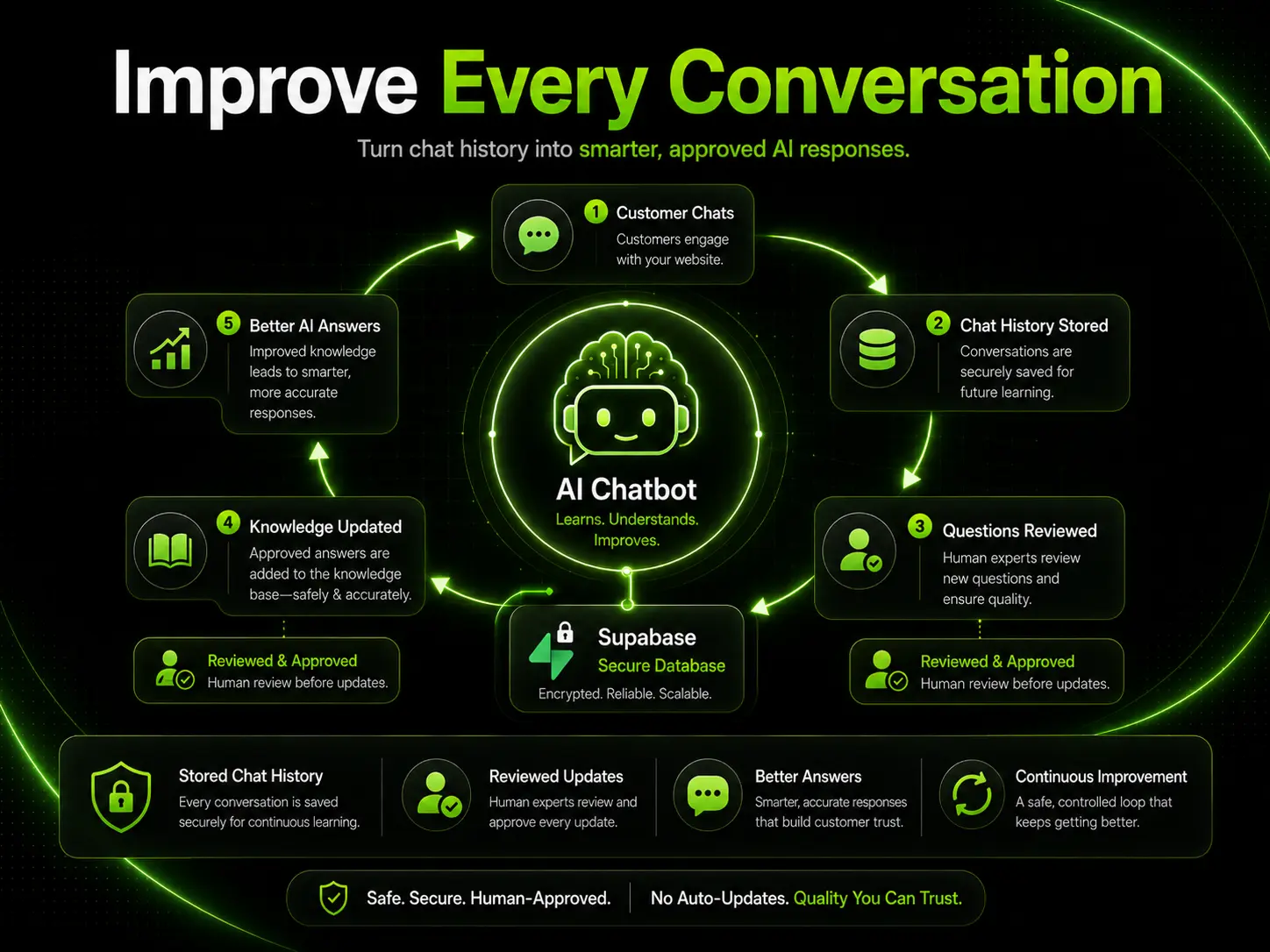
The chatbot can be connected to your business data such as FAQs, pricing sheets, service documents, product information, or Google Sheets. With Supabase, chat history can be stored for review so you can improve the chatbot’s answers over time through safe, approved updates.

Key Capabilities Included:

  • Instant AI Answers in Chat Widget
  • Comprehensive Lead Capture fields
  • Google Sheets Connection for live data
  • n8n Automation and workflows
  • Supabase Chat History storage
  • Custom Chatbot Tone tuning
  • Multi-platform Website Integration
  • Safe and Approved Improvement flow

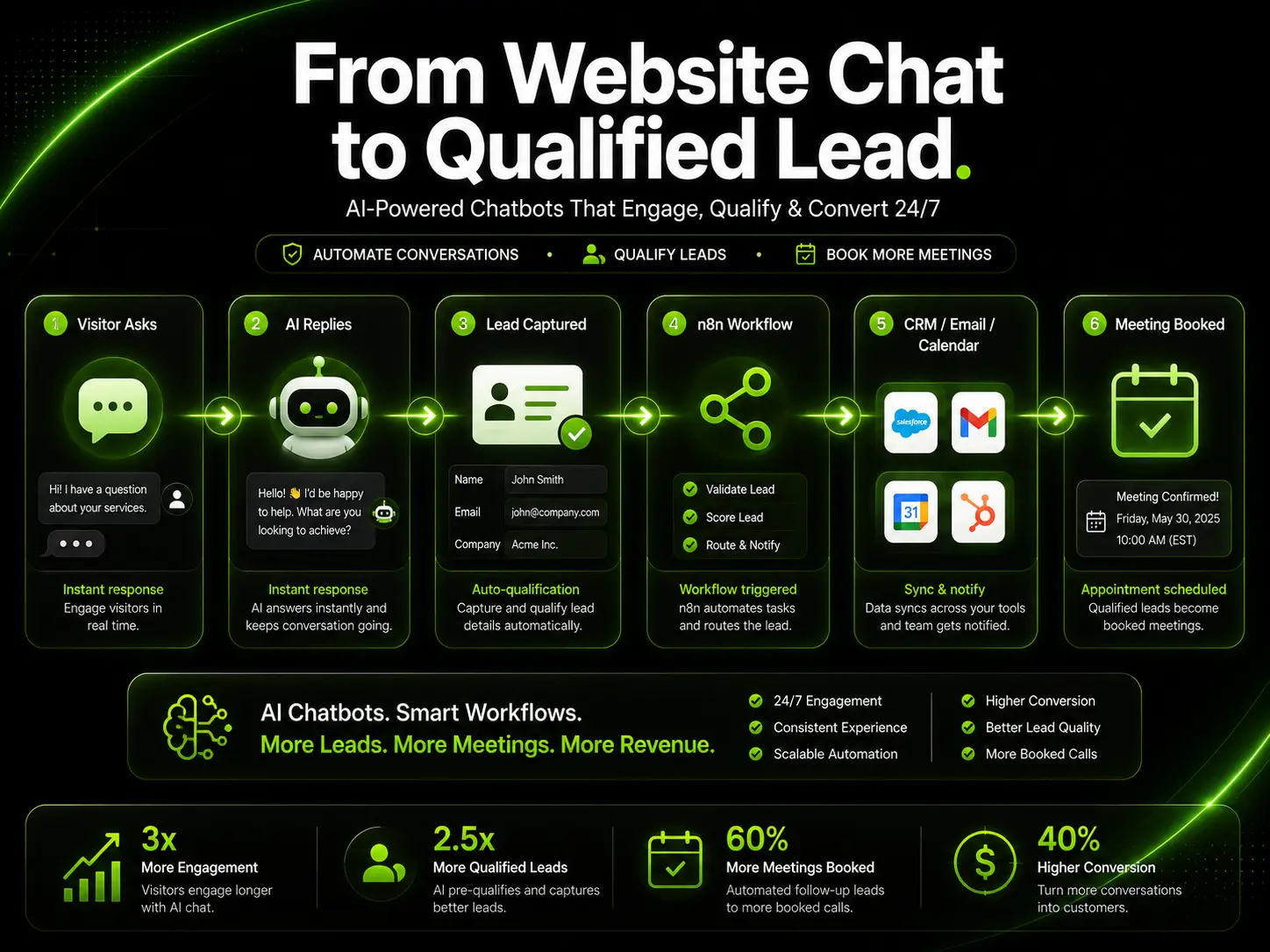
How the AI Chatbot Workflow Works

From visitor inquiry to data storage, here is the automated step-by-step cycle.

STEP 1

Visitor Asks a Question

A website visitor opens the chatbot and asks about pricing, services, availability, product details, or booking.

STEP 2

AI Agent Replies Instantly

The chatbot responds using your approved business information and configured conversation style.

STEP 3

Lead Details Are Captured

When needed, the chatbot collects contact details and qualifies the visitor based on your guidelines.

STEP 4

Automation Is Triggered

n8n can send the lead to email, Google Sheets, CRM, calendar, Slack, webhook, or another business tool.

STEP 5

Chat History Is Stored

Supabase can store conversation history for review, reporting, and future response validation.

STEP 6

Responses Improve Safely

Real customer questions are reviewed and used to safely improve the chatbot knowledge base via approved updates.

Connect to Your Business Knowledge

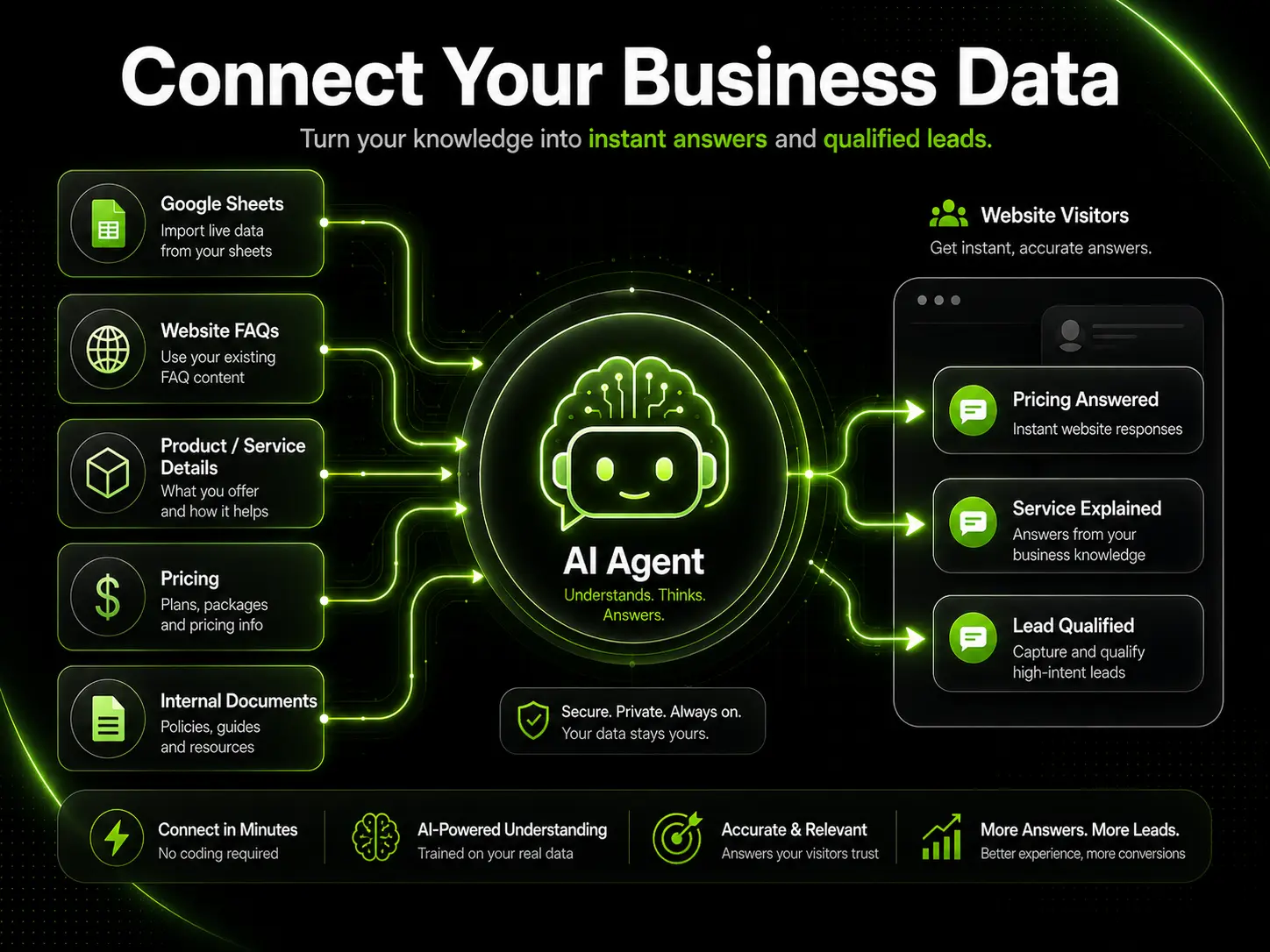
Your AI chatbot can be configured to answer based on the business information you provide. This makes the assistant more accurate, useful, and aligned with your real services.

Google Sheets

Pricing, packages, service lists, availability, product details, or operational data.

Website FAQs

Existing website answers, brand messaging and support information.

Service Documents

PDFs, docs, internal notes, process documents, and service descriptions.

Product Info & CRM Settings

Product details, lead capture fields, rules for tone, and restricted topics.

Best Use Cases

Where this chatbot delivers the highest return on investment.

  • Customer Support: Answer repetitive support inquiries instantly 24/7.
  • Lead Generation: Engage, qualify, and capture leads while intent is high.
  • Appointment Inquiry: Collect meeting preferences and output calendar suggestion links.
  • Pricing & Service Guide: Instantly explain packages, pricing, and custom setups.
  • Product Recommendations: Guide prospective clients toward the best match.
  • Internal Knowledge: Search company-wide details for team members or clients.
Built for:

Digital Agencies · SaaS Companies · Consulting Businesses · Real Estate · Local Service Businesses · Healthcare & Clinics · Ecommerce Stores · Education & Coaching · Automotive · Restaurants & Retail

AI Website Chatbot Packages

Choose the implementation depth, data connections, and automation level that fit your website.

Starter AI Chatbot

Starter AI Chatbot Setup

Basic website AI chatbot setup with custom welcome message and response tone.

$250
5 Days1 revision
  • Website chatbot installation
  • ChatGPT/OpenAI powered assistant setup
  • Basic FAQ or business knowledge setup
  • Custom welcome message and tone
  • Basic testing
  • 1 revision

Advanced AI Automation Agent

Advanced AI Automation Agent

Full chatbot package with Supabase chat history, advanced qualification, and CRM/calendar integrations.

$950
10 Days3 revisions
  • Everything in Growth
  • Supabase chat history storage
  • Conversation review structure
  • Advanced lead qualification flow
  • Appointment inquiry or time-slot suggestion flow
  • CRM, calendar, webhook, or email integration support
  • Admin-friendly improvement workflow
  • 3 revisions

Our Implementation Process

  1. Step 1
    Discovery & Chatbot Goal SetupWe review your website, business details, FAQs, pricing, customer questions, and required integrations.
  2. Step 2
    Flow & Conversation DesignWe design welcome messages, lead capture forms, custom response style, and visitor escalation rules.
  3. Step 3
    Knowledge Base SetupWe compile FAQs, product lists, pricing tables, or Google Sheets data sources into the AI knowledge model.
  4. Step 4
    Automation & Agent BuildWe connect OpenAI, configure workflows inside n8n, write data nodes to Supabase, and build the custom triggers.
  5. Step 5
    Installation & QA TestingWe deploy the script to your site and test lead validation, response precision, and database connection.
  6. Step 6
    Final Review & HandoverWe complete final modifications, hand over the chatbot script, and review the approved updates workflow.

What We Need From You

To build a highly accurate, custom chatbot, please prepare the following details:

  • Website URL and platform (WordPress, Webflow, custom, etc.)
  • Business details (services, packages, descriptions)
  • Main chatbot goal (support vs lead generation)
  • Business knowledge documents (FAQs, pricing sheets, product info)
  • Lead details to collect (name, email, requirements, budget)
  • Integrations needed (email, Google Sheets, CRMs)
  • Preferred tone (friendly, luxury, direct)
  • Branding colors and avatar preferences
  • Restricted topics or escalation criteria

FAQ

Is this really a self-learning AI chatbot?

It can store chat history and use real customer questions to improve future responses. To keep it safe and accurate, improvements are made through reviewed and approved updates instead of uncontrolled automatic changes.

Can the chatbot connect to Google Sheets?

Yes. The chatbot can use Google Sheets data such as pricing, packages, product details, services, availability, or FAQs depending on the setup.

Can this chatbot collect leads?

Yes. It can collect details such as name, email, phone number, company, service need, budget, and preferred meeting time. The lead can then be sent to email, Google Sheets, CRM, or another workflow.

Can it work with WordPress, Shopify, Webflow, or custom websites?

Yes. In most cases, if the website allows custom scripts or chatbot widget installation, the chatbot can be added.

Can you connect the chatbot with n8n?

Yes. n8n can be used to trigger automations such as lead notifications, CRM updates, Google Sheets updates, calendar actions, email alerts, and webhook flows.

Can the chatbot book appointments?

Yes. It can collect appointment preferences and guide visitors toward booking. Full calendar booking depends on the calendar tool and integration access.

Do I need an OpenAI API key?

Usually yes, unless we agree on another setup. You may need to provide OpenAI/API access or we can guide you on what is required.

Will the chatbot answer everything perfectly from day one?

No AI chatbot should be treated as perfect from day one. We test and configure it carefully, then improve it using real conversations, reviewed feedback, and approved knowledge updates.

Ready to Add an AI Agent to Your Website?

Let’s build a smart AI chatbot that answers questions, captures leads, and helps your website work harder for your business. Book a discovery call or request your custom chatbot setup today.